Getting Started
This guide covers Step 1 of the Rassket workflow — connecting your data. You can either upload a file directly or connect a live database. Rassket validates and prepares your data automatically either way.
Option A — Upload a File
What does this do?
You upload a data file from your computer. Rassket reads it, checks the structure, detects any missing values, and prepares it for training — no manual cleaning required.
Supported File Formats
- CSV — Comma-separated values
- Excel — .xlsx and .xls files
- Parquet — Columnar storage format common in data pipelines
- JSON — Structured JSON datasets
How to Upload
- Go to app.rassket.com
- Drag your file into the upload area, or click to browse your files
- Rassket will immediately validate the file and display a summary
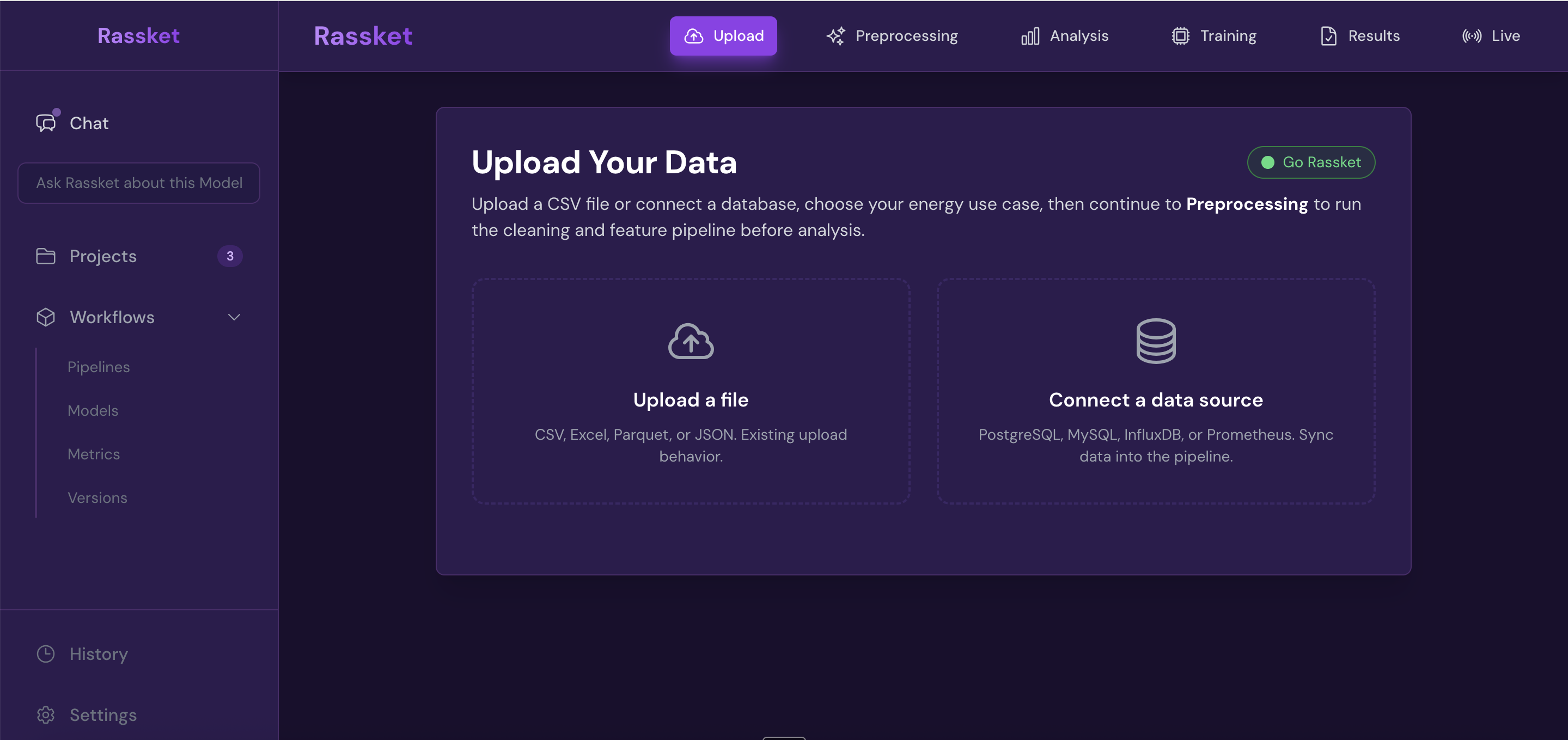
Upload a file or connect your live database — Rassket validates and prepares your data automatically.
What happens after upload
Once your file uploads, Rassket will:
- Detect the structure — columns, data types, and row count
- Check for missing values and flag any data quality issues
- Show you a summary of what was found before you proceed
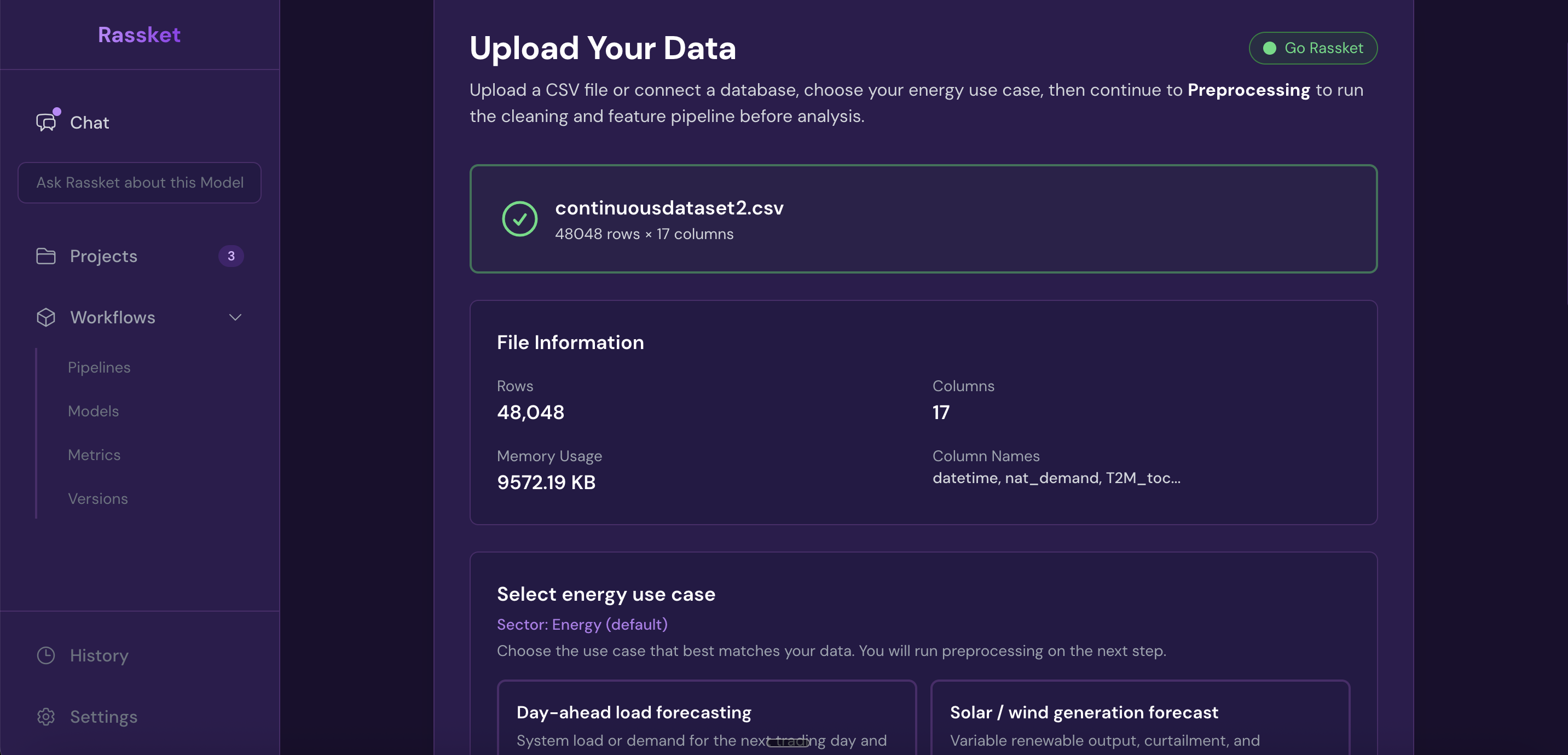
After upload, Rassket shows a full summary of your dataset — rows, columns, detected features, and missing values.
Option B — Connect a Live Database
What does this do?
Instead of uploading a file, you connect Rassket directly to your live data source. Rassket will read from that source and treat it the same as an uploaded file — validating structure, detecting features, and preparing data for training.
Supported Connectors
- SCADA — Industrial control and monitoring systems
- PostgreSQL — Relational database
- InfluxDB — Time-series database common in energy monitoring
- MySQL — Relational database
- MongoDB — Document database
- Prometheus — Metrics and monitoring systems
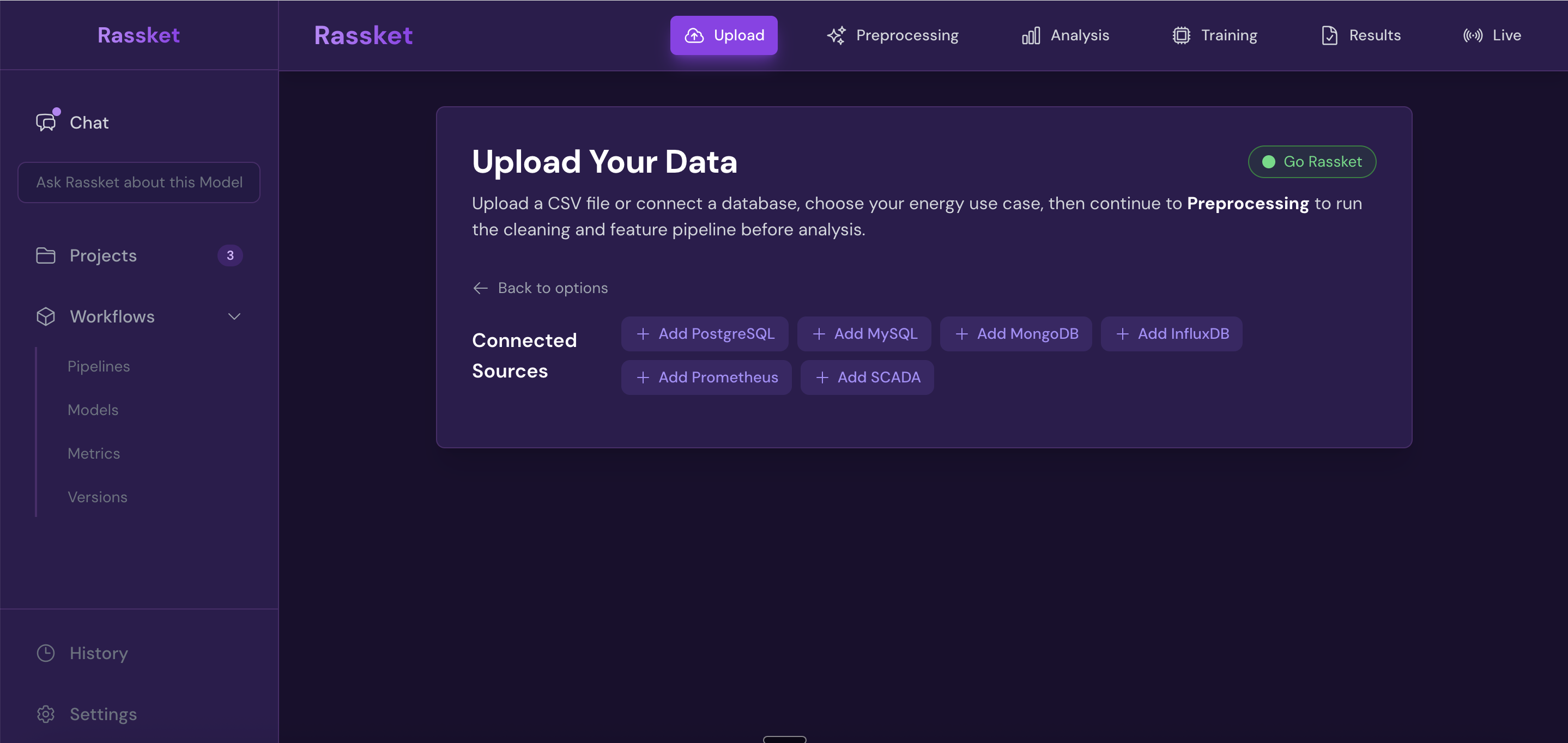
Upload a file or connect your live database — Rassket validates and prepares your data automatically.
What Rassket Checks Automatically
Structure detection
Rassket reads every column and identifies what kind of data it contains — numeric readings, timestamps, categorical labels, or identifiers. This feeds directly into feature engineering in the next step.
Missing value detection
Rassket flags any gaps in your data and shows you how many values are missing per column. In the preprocessing step, it will fill those gaps automatically using the right approach for energy time-series data.
Feature preparation
Rassket identifies which columns are likely to be useful for forecasting and which may be identifiers or redundant. This saves you from manually deciding what to include.
Next Step
Once your data is connected or uploaded, you will select your energy use case and utility context. Continue to Domain Selection to see how that works.